
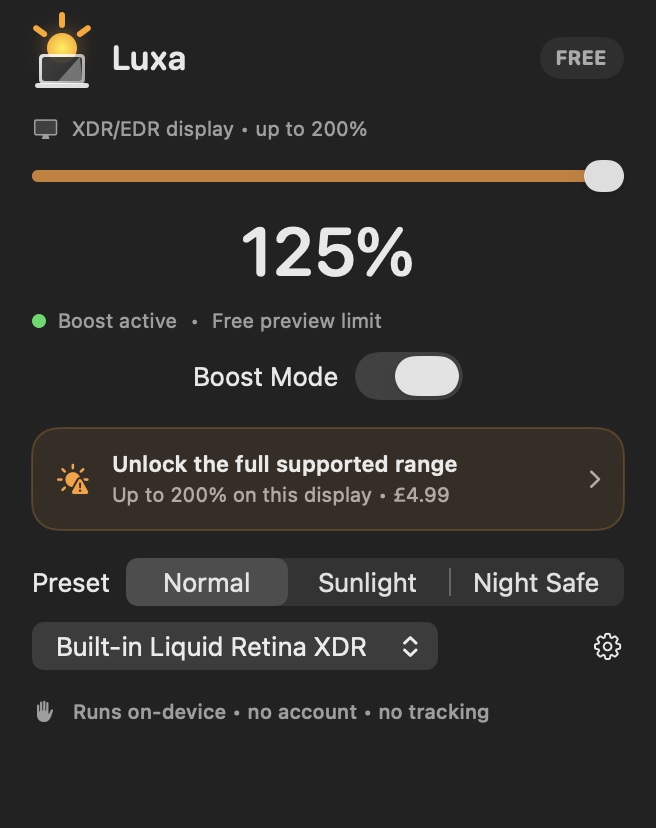
Not sure where to start? Use the manual brightness helper.
Fix the angle and light source
A bright window or sky reflected in the glass cuts perceived contrast. Rotate the desk, lower a blind, move the lamp, or tilt the screen so the reflection leaves your viewing angle. Even a small angle change can outperform a large brightness increase.
- Put the brightest light beside the display, not behind you
- Prefer broad indirect light to a bare lamp
- Use open shade outdoors
- Avoid a bright white wall directly behind your head
Improve the content contrast
Increase text size, use a darker surrounding interface around white documents, and choose high-contrast themes. For reading, a slightly warmer appearance can also feel less harsh even when absolute brightness is unchanged.
- Increase browser zoom
- Enable app-specific dark sidebars
- Hide unused toolbars
- Use macOS accessibility contrast options when helpful
Use extra brightness as the final layer
After the free changes, set macOS brightness to the level you need. If your display still has XDR/EDR headroom, Luxa can add a controlled boost and show the live hardware ceiling. Try the free 125% EDR preview before deciding whether Pro adds enough value.
More light means more power and heat. Return to 100% when the glare is gone, especially for long sessions.
Frequently asked questions
Do anti-glare screen protectors help?
They can diffuse reflections, but they may also change sharpness, contrast, or coating behaviour. Follow the display maker’s guidance before attaching anything.
Is brightness the same as contrast?
No. Glare raises the apparent black level, reducing contrast. More brightness can help, but removing the reflection is usually more effective.