
Not sure where to start? Use the manual brightness helper.
First, reduce the light hitting the glass
Brightness cannot fully overpower a direct reflection. Turn so the sun is behind the display rather than behind you, seek open shade, tilt the screen away from bright sky, and use a dark background around the document you are reading. These changes often improve perceived contrast more than another small step on the brightness slider.
Clean the display with the method Apple recommends for your model. Fingerprints scatter light and make outdoor haze noticeably worse.
- Move into open shade when possible
- Avoid reflecting the sky or a bright window
- Increase text size and contrast
- Use dark surrounding UI for light documents
Then use the built-in brightness range
Set the standard macOS brightness control to maximum before adding another layer. On supported MacBook Pro models, macOS may already allow higher sustained brightness in bright ambient conditions. Temperature and battery state can still reduce what is available.
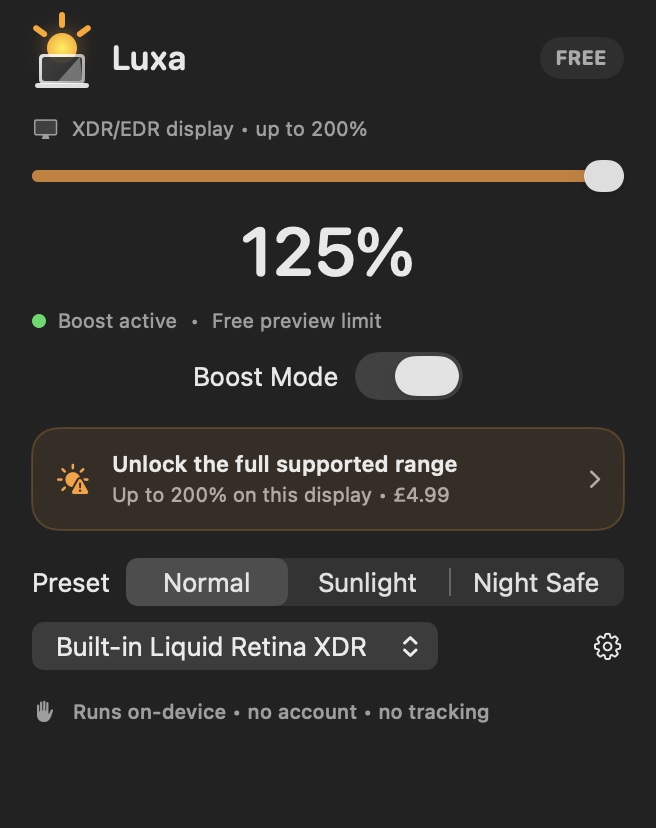
If the display has XDR/EDR headroom remaining, Luxa can remap the visible desktop into an extended-range surface. Its free preview lets you judge the result on your own machine before the one-time Pro unlock.
Protect comfort and battery life
Extra brightness uses more power and can make a Mac warmer. Luxa’s battery-aware option and thermal soft limit reduce the ceiling when the computer needs it. For long outdoor sessions, plug in where practical and take breaks rather than treating maximum brightness as a permanent setting.
At night, use the Night Safe preset or return to 100%. The goal is readability when glare is high, not maximum luminance all day.
Frequently asked questions
Will Luxa help in direct sunlight?
It can improve readability on a supported XDR/EDR display, but no software can remove a direct reflection. Positioning and shade remain the biggest wins.
Does extra brightness drain the battery?
Yes, higher display output can use more power. Luxa includes an optional battery-aware cap and reports when that limit is active.