
Not sure where to start? Use the manual brightness helper.
Written by Luxa’s developer, not an independent benchmark. Vendor features and licence terms were checked on 6 October 2026. No guarantee of brightness, performance or battery-life advantage is implied.
| Product | Best for | Purchase model | Important note |
|---|---|---|---|
| macOS controls | Ordinary brightness, automatic adjustment and reference modes | Included with macOS | Try built-in controls and glare fixes before buying software. Do not override a thermal warning or calibrated workflow. |
| Luxa 1.1.1 | Focused brightness boost with clear hardware limits | Free tier + one-time Pro (£4.99 UK) | Released 7 October 2026. Try the supported range on your own display before choosing Pro; prices vary by storefront. |
| Vivid | Focused brightness extension on its supported Apple XDR displays | Split-screen trial + lifetime licence | Vendor names supported MacBook Pro and Pro Display XDR hardware. Check the exact model before paying. |
| BetterDisplay | Scaling, DDC, virtual screens and broader display management | Free non-business features + 14-day Pro trial; perpetual covered-version licence | Pro includes at least one year of updates, not a promise of every future major version. Requirements vary by feature. |
Consider Luxa for a focused workflow
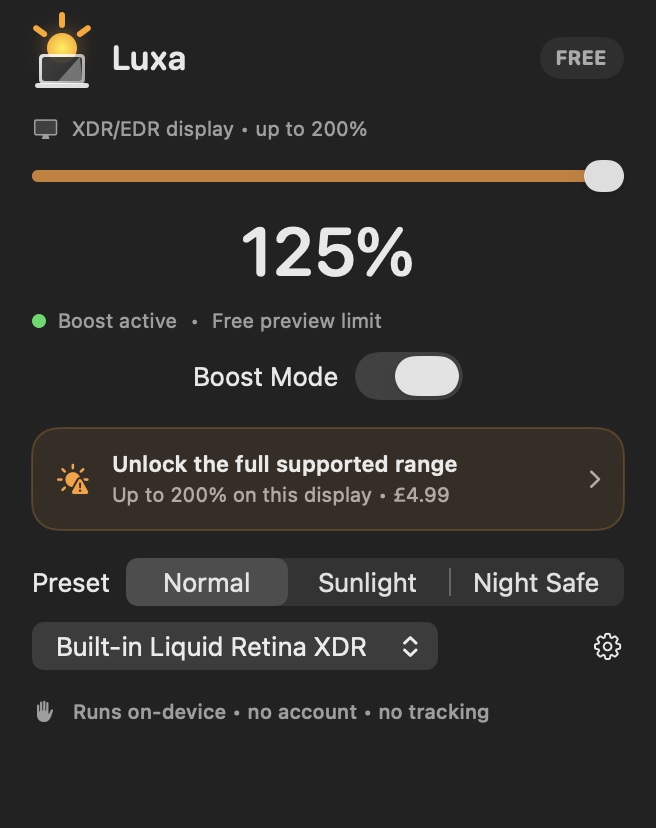
Luxa 1.1.1 is designed around a menu-bar boost, a display-reported ceiling, local settings and one optional Pro purchase. Its privacy changes remove Firebase and RevenueCat from this version; they do not retroactively change earlier releases or erase historical provider data.
The trade-off is scope: Luxa does not replace DDC control, resolution overrides, virtual displays or monitor automation. Try its free range on the exact display and workload you plan to use.
Choose Vivid for another dedicated XDR approach
Vivid’s official site describes a split-screen evaluation and a lifetime licence for its focused Apple XDR workflow. It lists hardware restrictions, including unsupported standard-display models. Confirm your exact device rather than treating any HDR label as a guarantee.
Evaluate available tools on your own display and workload. Luxa’s free range is another way to check whether a focused booster helps before paying for Pro.
Choose BetterDisplay for a complete display toolbox
BetterDisplay is worth comparing when you need scaling, monitor hardware controls or virtual displays as well as brightness. Feature availability depends on hardware, macOS and licence level.
Its repository describes free features for non-business use and a 14-day Pro trial. A perpetual Pro licence covers eligible versions and includes at least one year of updates; check upgrade and business-use terms. The developer now identifies betterdisplay.pro and the official GitHub repository as its trusted sources.
Further reading from primary sources
Sources checked: 2026-10-06
Vivid official website Vivid on the Mac App Store BetterDisplay official guide BetterDisplay official repository and licence terms Apple: ordinary brightness controls