
Not sure where to start? Use the manual brightness helper.
What Luxa checks
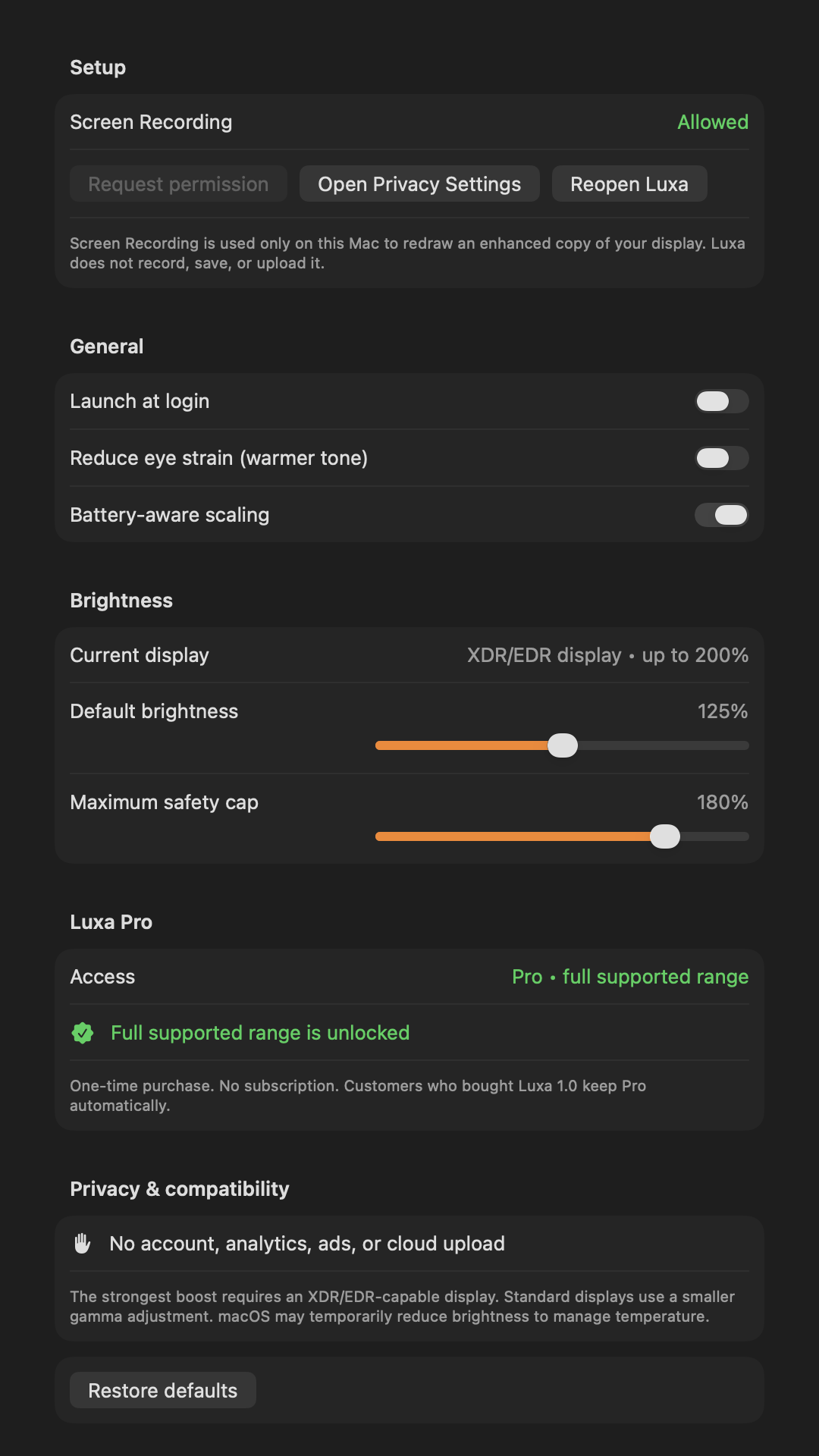
Luxa asks macOS about every connected display, including whether it supports extended dynamic range and how much brightness headroom is currently available. It then uses the lowest safe limit when you control multiple displays together, so the slider never advertises a level one of them cannot support.
The number you see is a multiplier, not a promise of a particular nit value. A 200% ceiling means the display reports enough EDR headroom for Luxa’s maximum product range; it does not mean every scene or pixel becomes twice as bright.
- Free preview: up to 125% on EDR displays
- Luxa Pro: up to the display-reported limit, capped at 200%
- Standard display preview: up to 110%
- Standard display Pro fallback: up to 120%
Best-fit displays
Built-in Liquid Retina XDR displays on supported 14-inch and 16-inch MacBook Pro models, and Apple Pro Display XDR, are the clearest fit because they are designed for extended-range content. Other HDR/EDR-capable monitors may also expose useful headroom through macOS.
MacBook Air, iMac, Studio Display, and many SDR external monitors generally do not expose the same EDR range. Luxa uses a smaller gamma-based adjustment there and labels the display as standard instead of pretending it can deliver XDR performance.
Why the limit can change
macOS can reduce available brightness because of temperature, battery state, the active reference mode, HDR settings, or the display itself. Luxa responds by clamping the control and explaining whether the current limit comes from hardware, your chosen safety cap, low battery, or thermal conditions.
Connect or disconnect a display and Luxa refreshes its target automatically. Sleep and wake also reset and reapply the selected level so a stale overlay is not left behind.
Further reading from primary sources
Apple: use reference modes with your display Apple: brightness may be limited by temperatureFrequently asked questions
Does Luxa make a MacBook Air twice as bright?
No. Standard displays use a conservative 110% free or 120% Pro fallback. Luxa only offers the larger range when macOS reports real EDR headroom.
Can I use Luxa with more than one display?
Yes. You can target one display or all connected displays. When controlling all displays, Luxa uses a safe common ceiling.
Why is my maximum lower today?
Available headroom can change with temperature, power, reference mode, ambient conditions, and display configuration. Luxa shows the current limiting reason.